
100 % in der EU gehostet
Wenn Sie ein Risiko dokumentieren, ist der KI-Assistent direkt in den Texteditor integriert. Beschreiben Sie eine Bedrohung, bitten Sie ihn, Ihre Analyse zu erweitern, oder führen Sie ein Gespräch über die wahrscheinlichen Folgen. Der KI-Assistent arbeitet im Kontext Ihres Risikoeintrags und hilft Ihnen, eine gründlichere, genauere Bewertung zu erstellen, ohne zwischen verschiedenen Tools wechseln zu müssen.
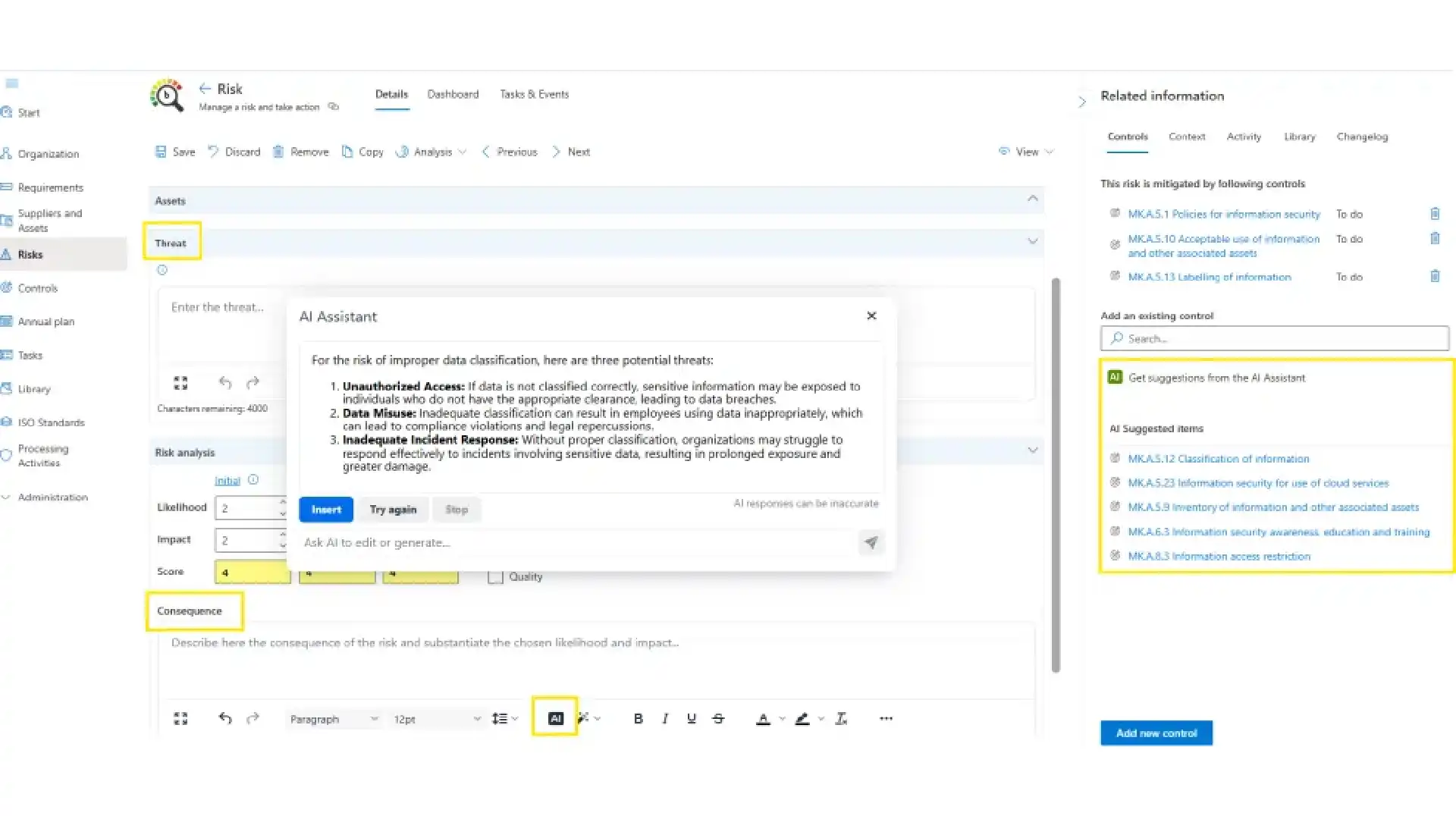

Wenn ein Risiko gemindert werden muss, scannt der KI-Assistent Ihre aktiven Normen und zeigt die relevantesten Massnahmen im Kontext an, bereit zur Überprüfung und Bestätigung. Kein manuelles Durchsuchen von Anhang A oder Ihrer Massnahmenbibliothek.
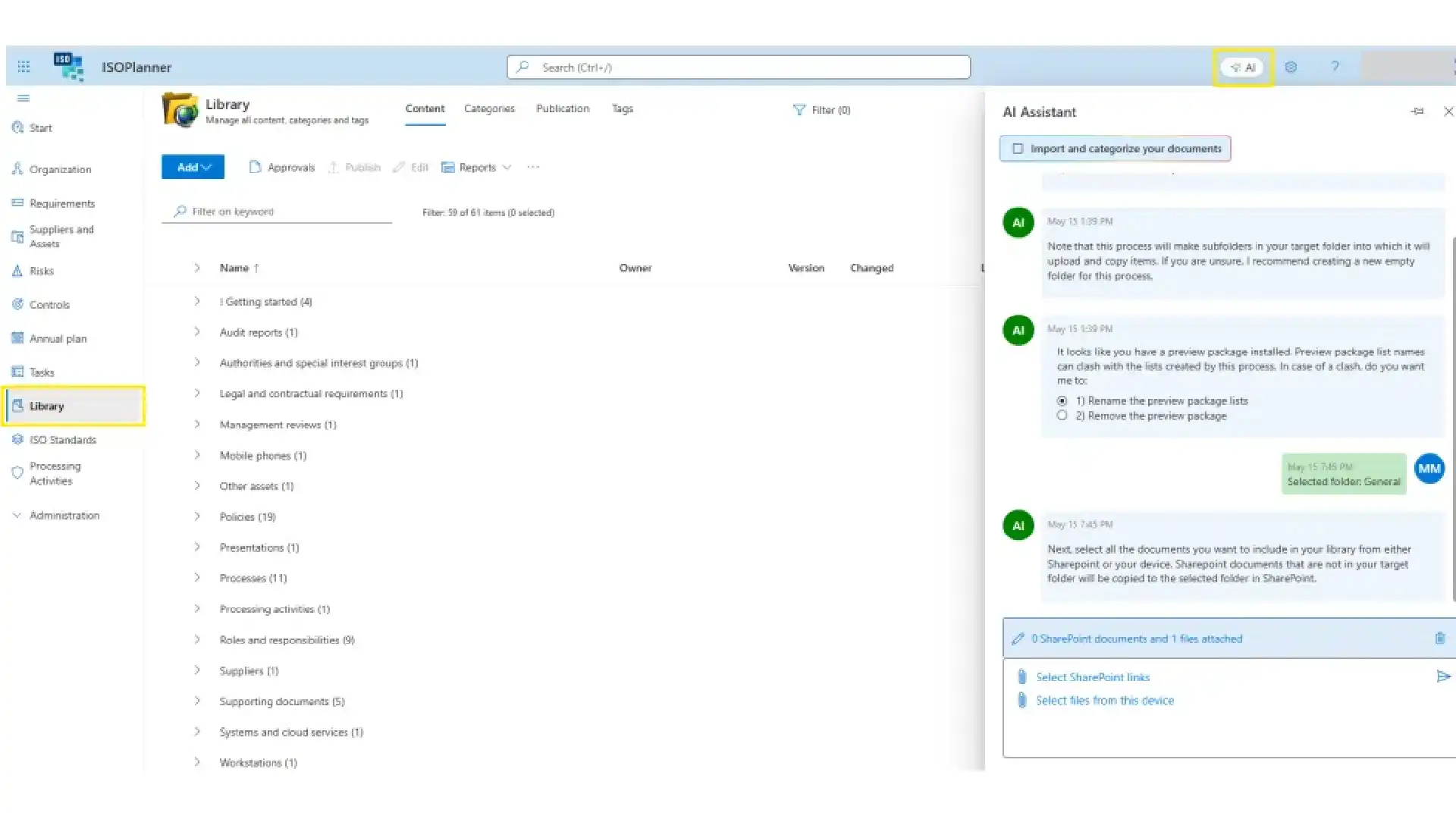
Laden Sie ein Dokument hoch, und der KI-Assistent kategorisiert es und verknüpft es mit den entsprechenden Anforderungen und Massnahmen in Ihren aktiven Normen. Ihre Bibliothek bleibt strukturiert, vernetzt und prüfungsbereit.
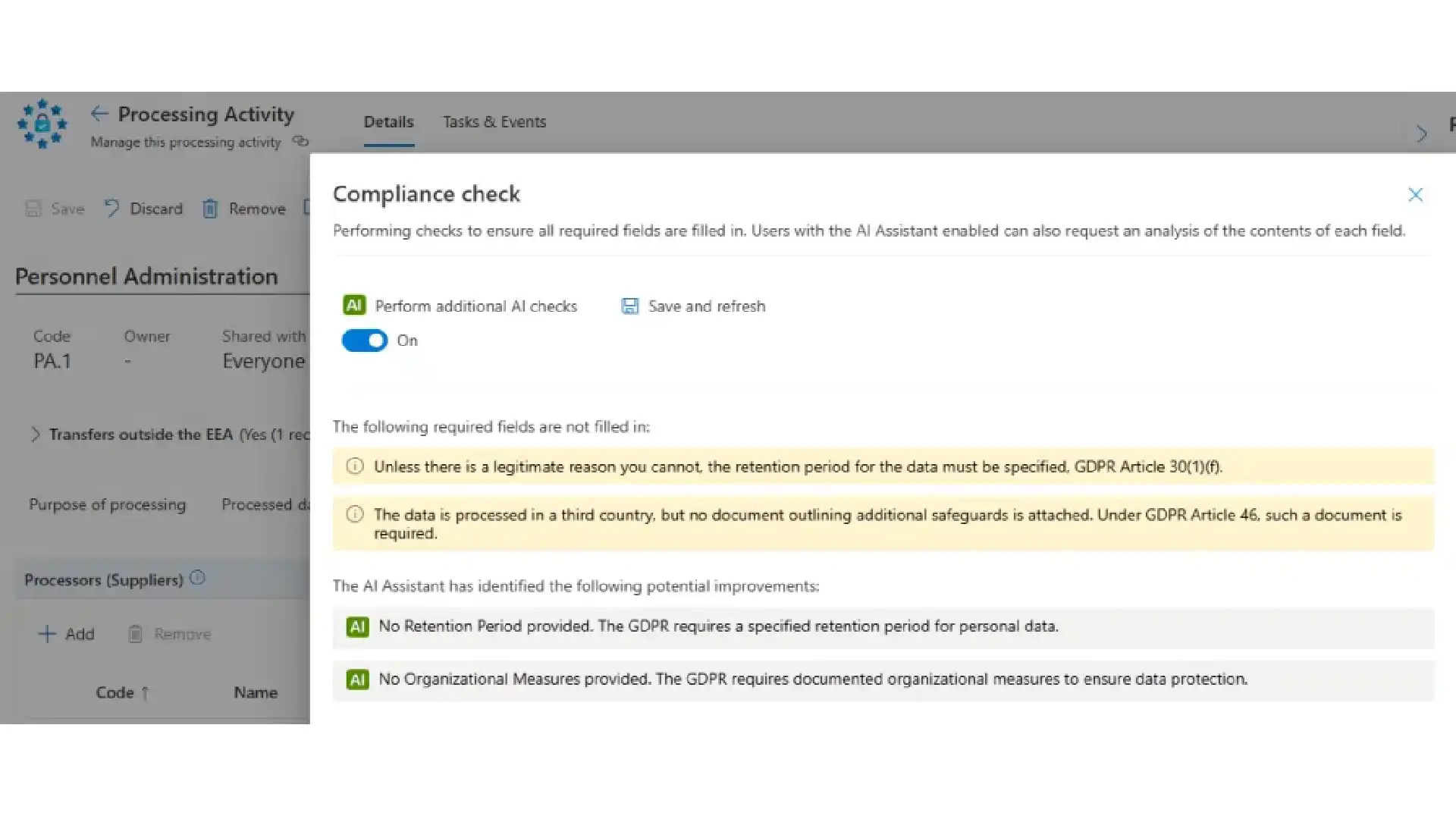
Die DSGVO erfordert detaillierte Arbeit. Der KI-Assistent überprüft Ihre Verarbeitungstätigkeiten, während Sie diese abschließen, kennzeichnet fehlende Punkte und schlägt konkrete Verbesserungen vor.
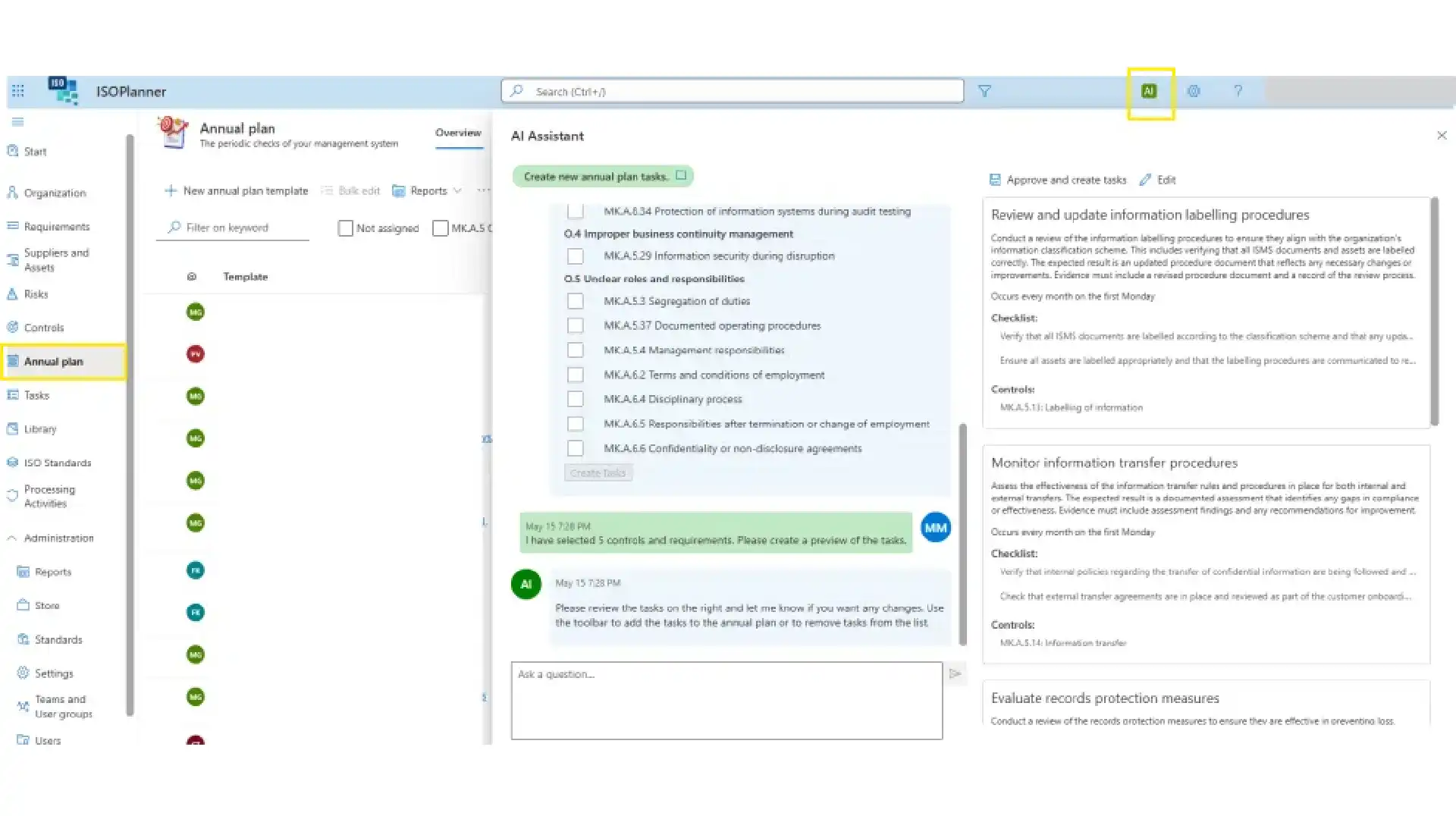
Der KI-Assistent entwirft wiederkehrende Aufgaben basierend auf Ihren größten Risiken. Passen Sie diese in einer interaktiven Überprüfung an und übernehmen Sie sie dann direkt in Ihren Jahresplan.
With the SharePoint integration you store documents and evidence safely in SharePoint, with support for approvals and publication in ISOPlanner™. Your policies, procedures and evidence stays in your own Microsoft environment, governed the way the rest of your documents are.
The Microsoft Entra ID integration for users and teams (automatic team synchronization) means authorisation runs on Microsoft Entra ID: only users with an Entra ID or guest account can be given permissions in ISOPlanner™. It uses Microsoft Entra ID Groups, with group inheritance, to synchronise users, so access follows your existing directory instead of a parallel user list.
Compliance work only gets done when it lands where people already work. The Outlook integration for creating tasks as appointments lets you create and manage ISOPlanner™ tasks from Outlook, delivered through the Tasks in Outlook email add-in and the Task Outlook Calendar add-in.Inside Microsoft Teams, the Library Teams app and the Tasks Teams app bring your compliance library and tasks into the conversation where work is discussed.
The Microsoft Planner integration for synchronizing tasks to your teams pushes ISOPlanner™ tasks into Microsoft Planner. Compliance work lands on the same boards your teams already use to track their day to day, instead of waiting in a separate system someone has to remember to open.
The Microsoft Secure Scores integration for realtime insights surfaces your Microsoft Secure Scores inside ISOPlanner™, so security posture is something you can watch day to day, not only when a control is being assessed. Secure scores results are turned into audit evidence, this keeps the live number in front of you between assessments.
The Microsoft Power BI integration for creating custom reports lets you publish and refresh ISOPlanner™ data into Power BI and ISOPlanner™ dashboards, so management sees compliance in the same reporting environment as the rest of the business.
The Microsoft Power Automate integration to create custom workflows connects your wider toolset to ISOPlanner™. The ISOPlanner™ connector for Microsoft Power Automate reaches many apps, including Microsoft Dynamics 365, SharePoint, Teams and products outside Microsoft. Build workflows that respond to ISOPlanner™ events or perform actions such as creating tasks and managing the library.Teams commonly use it for incident handling, document approval, supplier assessment and evidence collection, the repetitive steps around a control that are easy to forget and expensive to miss.
01.
Was macht der ISOPlanner™ KI-Assistent?
Der KI-Assistent ist an den Stellen in die Plattform integriert, wo Compliance-Arbeit anfällt. Er unterstützt bei Compliance-Aufgaben, wo Sie ihn benötigen: Risikoanalyse, Massnahmenzuordnung, Dokumentenablage und DSGVO-Aufzeichnungen.
02.
Trifft der KI-Assistent Compliance-Entscheidungen automatisch?
Nein. Vorschläge des KI-Assistenten sind Empfehlungen, keine automatischen Aktionen. Wenn ein Risiko identifiziert wird, kann der KI-Assistent relevante Massnahmen vorschlagen. Die Entscheidungen zur Compliance verbleiben bei den für das Programm verantwortlichen Personen.
03.
Ist der KI-Assistent in allen Abonnements verfügbar?
Der KI-Assistent ist in den Business- und Premium-Abonnements enthalten.

Log in to your ISOPlanner™ workspace, or start a free trial.
Log in Start your free trial