
100% gehost in de EU
Wanneer u een risico documenteert, is de AI-Assistent direct ingebed in de teksteditor. Beschrijf een dreiging, vraag het om uw analyse uit te breiden, of voer een gesprek over de waarschijnlijke gevolgen. De AI-Assistent werkt binnen de context van uw risicodossier en helpt u een grondigere, nauwkeurigere beoordeling op te stellen, zonder dat u tussen verschillende tools hoeft te wisselen.
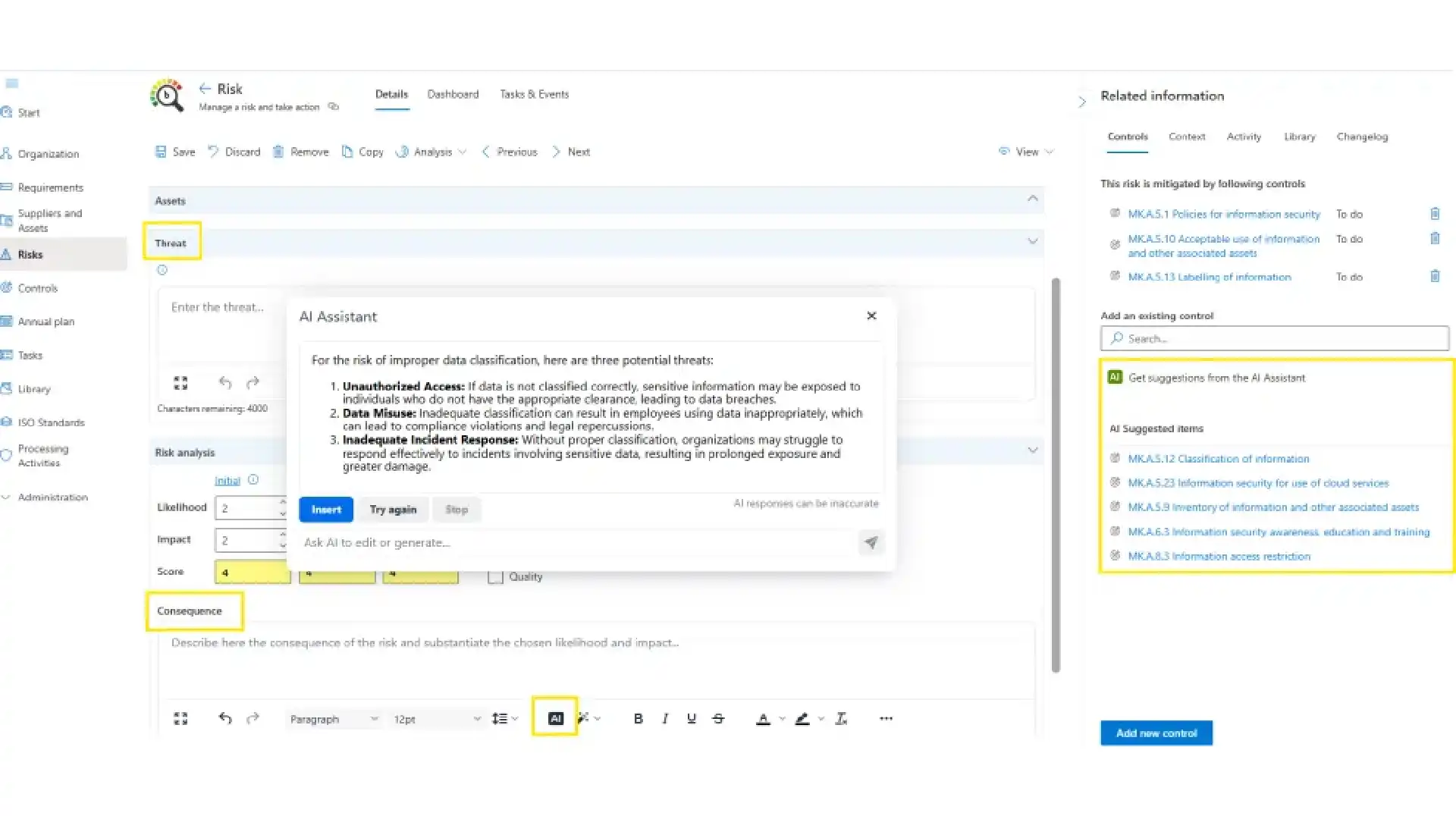

Wanneer een risico mitigatie behoeft, scant de AI-Assistent uw actieve normenkaders en toont de meest relevante controles, in context, klaar om te beoordelen en te bevestigen. Geen handmatig zoeken in Bijlage A of uw controlebibliotheek.
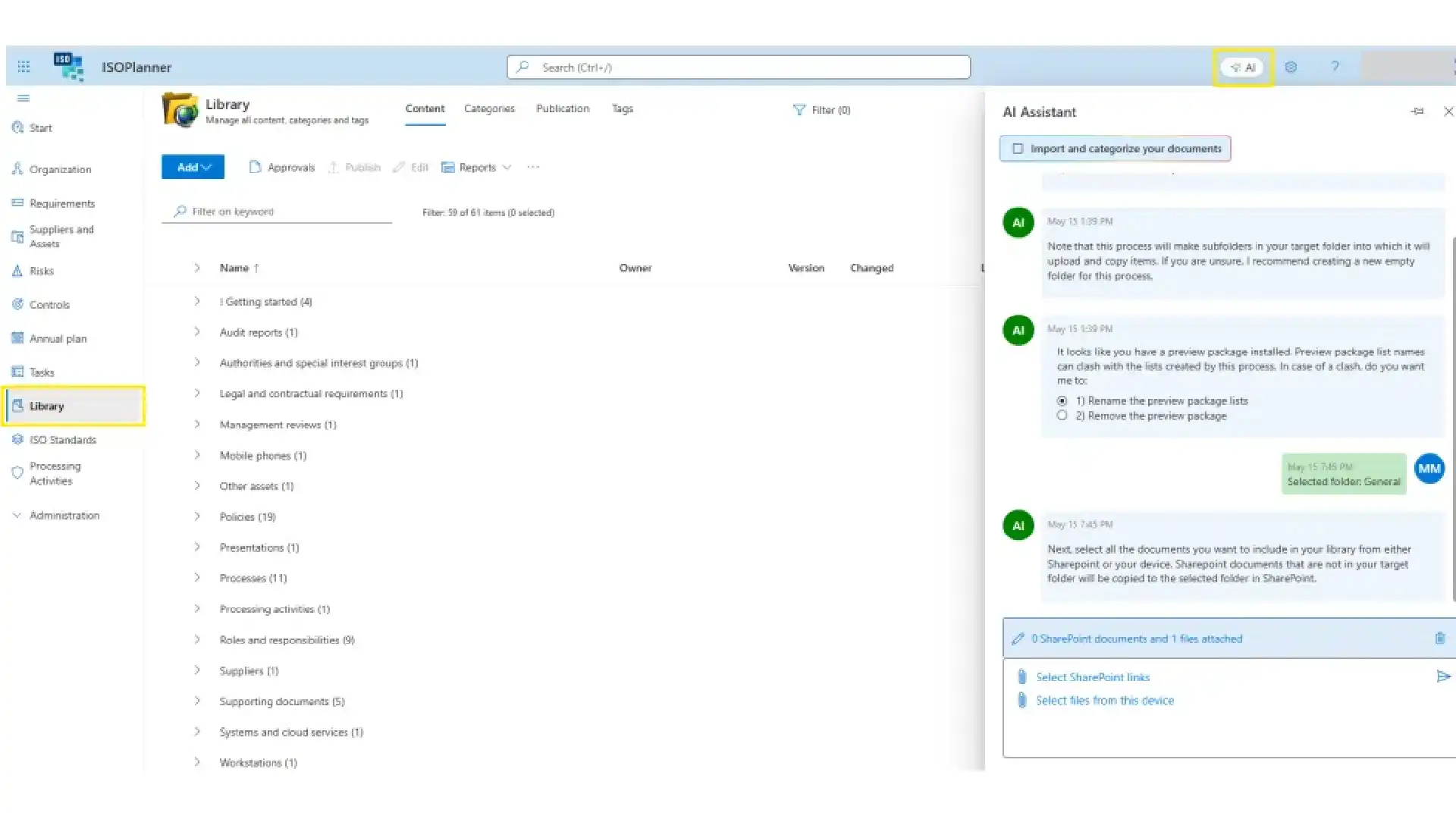
Upload een document en de AI-Assistent categoriseert het en koppelt het aan de overeenkomstige vereisten en controles in uw actieve normenkaders. Uw bibliotheek blijft gestructureerd, verbonden en auditklaar.
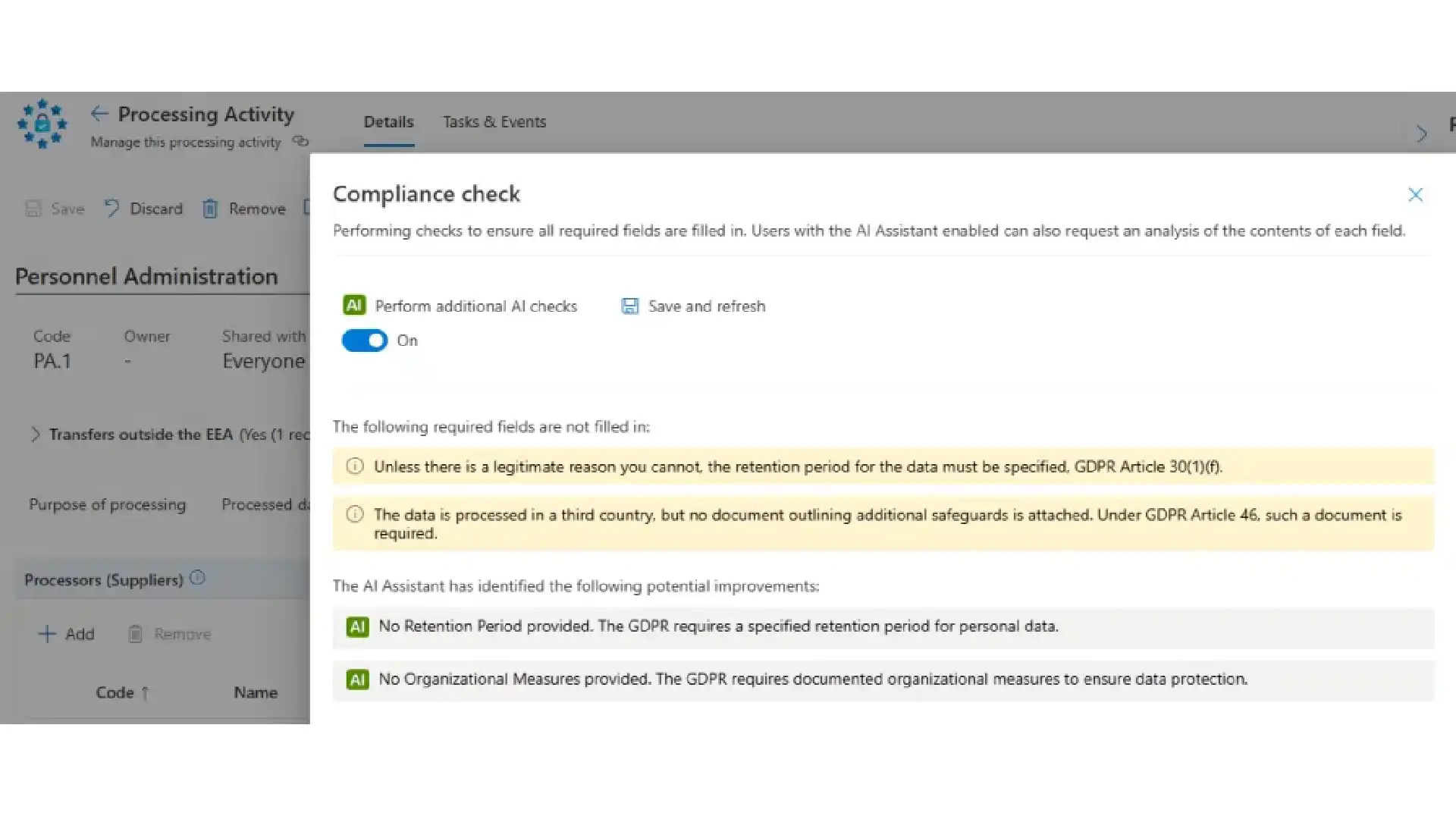
AVG is gedetailleerd werk. De AI-Assistent controleert uw verwerkingsactiviteiten terwijl u ze voltooit, signaleert wat ontbreekt en stelt concrete verbeteringen voor.
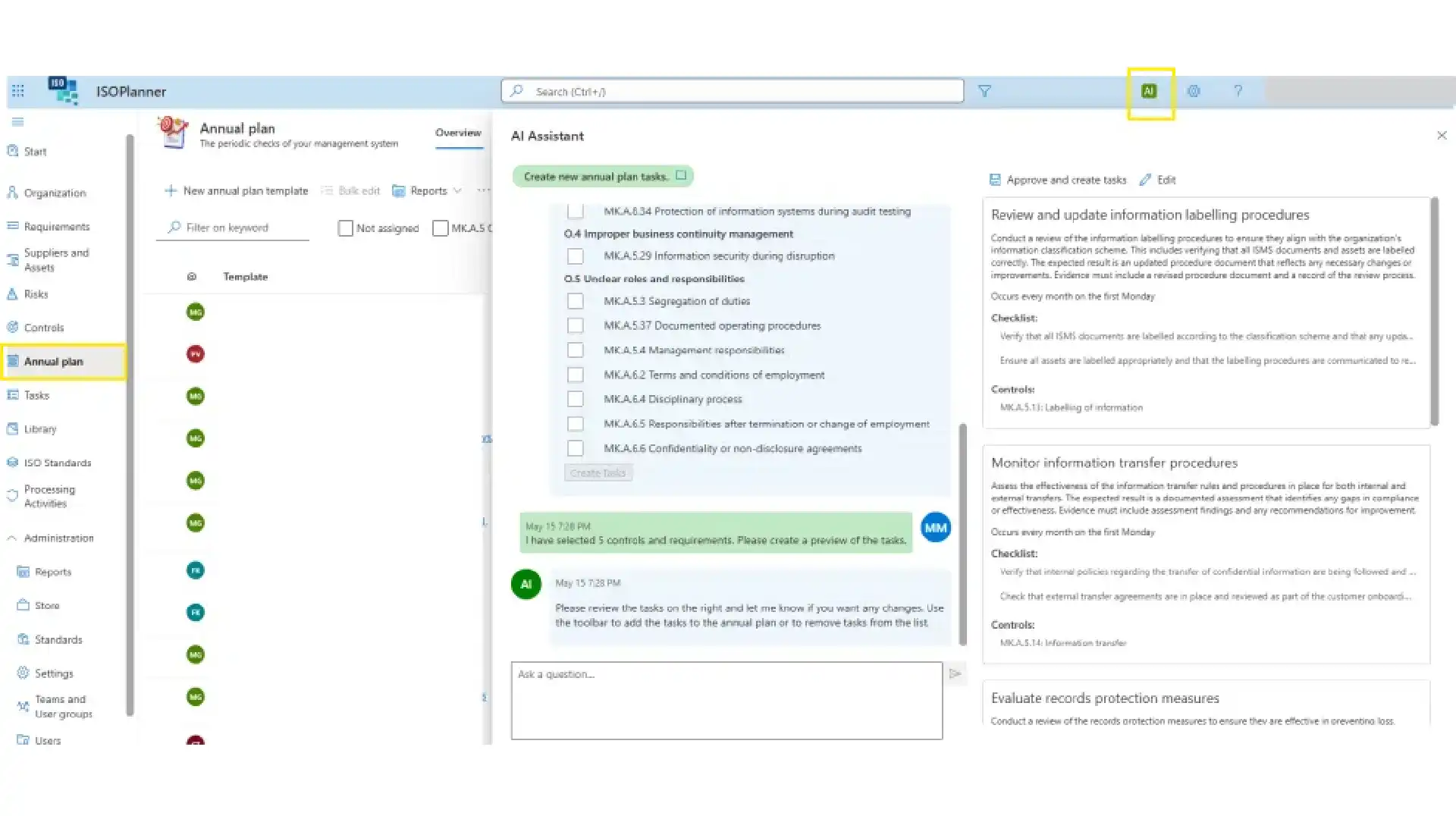
De AI-Assistent stelt terugkerende taken voor op basis van uw grootste risico's. Pas ze aan tijdens een interactieve beoordeling en voeg ze vervolgens direct toe aan uw Jaarplan.
With the SharePoint integration you store documents and evidence safely in SharePoint, with support for approvals and publication in ISOPlanner™. Your policies, procedures and evidence stays in your own Microsoft environment, governed the way the rest of your documents are.
The Microsoft Entra ID integration for users and teams (automatic team synchronization) means authorisation runs on Microsoft Entra ID: only users with an Entra ID or guest account can be given permissions in ISOPlanner™. It uses Microsoft Entra ID Groups, with group inheritance, to synchronise users, so access follows your existing directory instead of a parallel user list.
Compliance work only gets done when it lands where people already work. The Outlook integration for creating tasks as appointments lets you create and manage ISOPlanner™ tasks from Outlook, delivered through the Tasks in Outlook email add-in and the Task Outlook Calendar add-in.Inside Microsoft Teams, the Library Teams app and the Tasks Teams app bring your compliance library and tasks into the conversation where work is discussed.
The Microsoft Planner integration for synchronizing tasks to your teams pushes ISOPlanner™ tasks into Microsoft Planner. Compliance work lands on the same boards your teams already use to track their day to day, instead of waiting in a separate system someone has to remember to open.
The Microsoft Secure Scores integration for realtime insights surfaces your Microsoft Secure Scores inside ISOPlanner™, so security posture is something you can watch day to day, not only when a control is being assessed. Secure scores results are turned into audit evidence, this keeps the live number in front of you between assessments.
The Microsoft Power BI integration for creating custom reports lets you publish and refresh ISOPlanner™ data into Power BI and ISOPlanner™ dashboards, so management sees compliance in the same reporting environment as the rest of the business.
The Microsoft Power Automate integration to create custom workflows connects your wider toolset to ISOPlanner™. The ISOPlanner™ connector for Microsoft Power Automate reaches many apps, including Microsoft Dynamics 365, SharePoint, Teams and products outside Microsoft. Build workflows that respond to ISOPlanner™ events or perform actions such as creating tasks and managing the library.Teams commonly use it for incident handling, document approval, supplier assessment and evidence collection, the repetitive steps around a control that are easy to forget and expensive to miss.
01.
Wat doet de ISOPlanner™ AI-Assistent?
De AI-Assistent is ingebouwd in het platform waar compliancewerkzaamheden plaatsvinden. Het helpt bij compliancetaken, waar u ze nodig heeft: risicoanalyse, control mapping, documentarchivering en AVG-registraties.
02.
Neemt de AI-Assistent automatisch compliancebeslissingen?
Nee. Suggesties van de AI-Assistent zijn voorstellen, geen automatische acties. Wanneer een risico wordt geïdentificeerd, kan de AI-Assistent relevante controles voorstellen. Compliancebeslissingen blijven bij de personen die verantwoordelijk zijn voor het programma.
03.
Is de AI-Assistent beschikbaar voor alle abonnementen?
De AI-Assistent is inbegrepen bij Business- en Premium-abonnementen.


Log in to your ISOPlanner™ workspace, or start a free trial.
Log in Start your free trial